Azure DevOps
Connect Azure DevOps so Autoheal agents can investigate incidents across:
- Azure Repos (code, pull requests, commits)
- Azure Pipelines (build and release runs and logs)
- the Azure DevOps Wiki (runbooks and operational docs)
One connection serves all three.
You connect by adding an identity to your Azure DevOps organization. We recommend read access, which gives agents read-only access. This integration supports Azure DevOps Services (cloud, dev.azure.com) only.
Used by: Incident Response, Vulnerability Remediation, AI Coding Cost Efficiency, and custom agents.
What agents can do
| Capability | Examples |
|---|---|
| Browse & search code | clone repositories, and read files, history, diffs, and blame |
| Pull requests | review recent PRs and changes |
| Commits | view commit history and diffs |
| Pipelines | find recent or failed build & release runs and read their logs |
| Deployments | trace what changed (build → commit) for a deployment |
| Wiki | read runbooks and operational documentation |
Set up
How you connect depends on where Autoheal runs. Pick your deployment:
- SaaS
- BYOC
Connect with Microsoft Entra Workload Identity Federation. You create an identity in your Microsoft Entra tenant and configure it to trust Autoheal's OIDC issuer. Then you add it to your Azure DevOps organization with read access. Azure DevOps authorizes on organization membership, not an Azure subscription role.
Prerequisites
- An Azure DevOps Services organization backed by a Microsoft Entra tenant.
- A user-assigned managed identity (recommended) or an Entra app registration, and rights to add it to the organization.
- The issuer, subject, and audience values for your Autoheal organization. Reveal and copy them on the Autoheal setup page with Get federation values (see the Federated credential reference below).
- Values to enter in Autoheal: your Organization, Directory (Tenant) ID, and the identity's Client ID (optionally a default Project).
- Azure CLI
- Azure Portal
az identity create -g <resource-group> -n autoheal-azuredevops
# note the clientId and tenantId
(Or register an Entra app registration if you require Conditional Access.)
Use the issuer / subject / audience from the Federated credential reference below:
az identity federated-credential create \
  --name autoheal-federation \
  --identity-name autoheal-azuredevops \
  --resource-group <resource-group> \
  --issuer "<AUTOHEAL_ISSUER>" \
  --subject "<AUTOHEAL_SUBJECT>" \
  --audiences "<AUTOHEAL_AUDIENCE>"
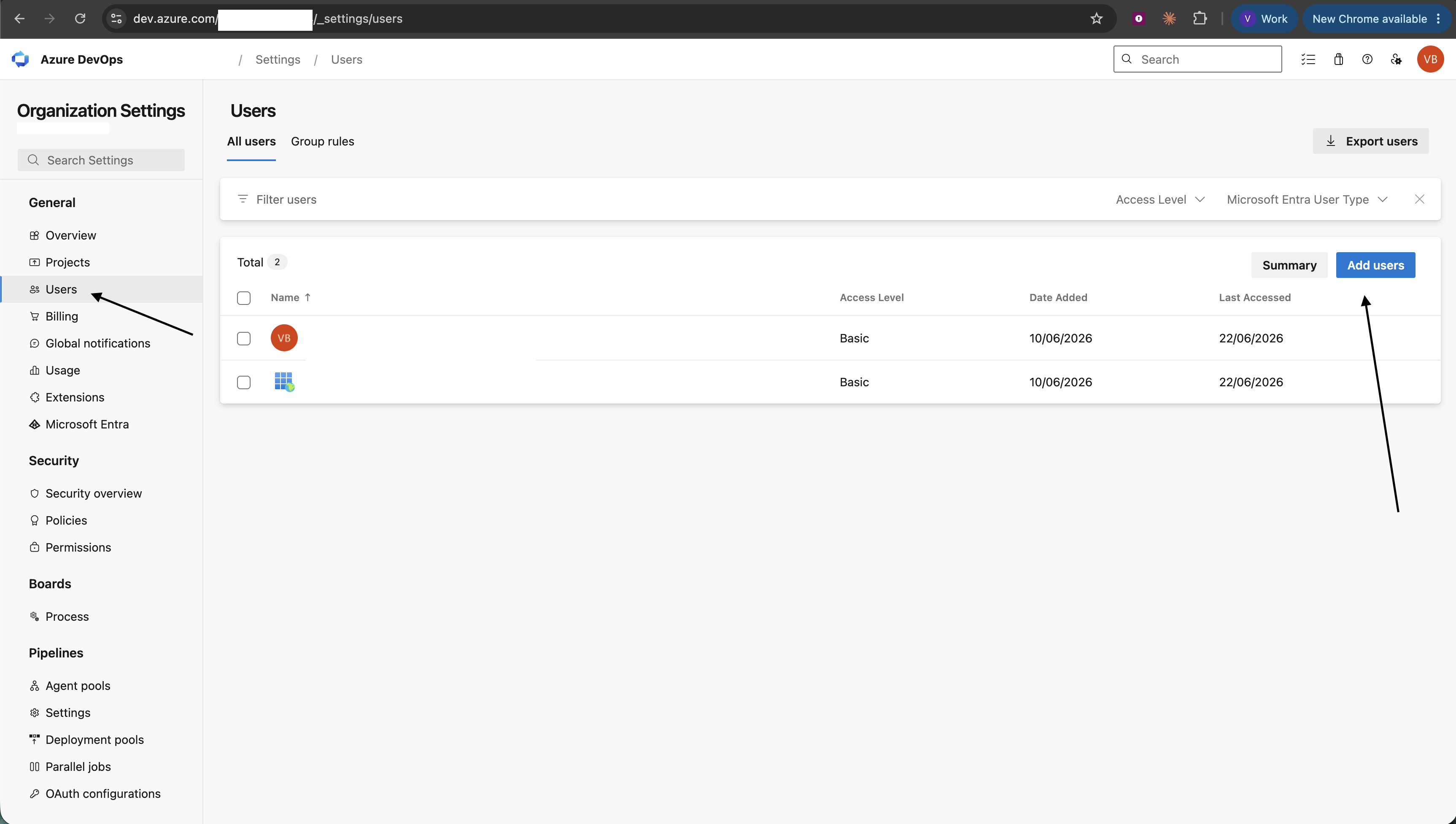
A Project Collection Administrator adds the identity's service principal under Organization settings → Users. The administrator gives it Basic access and read permission on the relevant projects. It must be in the same Microsoft Entra tenant as the organization. (Microsoft docs)
Go to Integrations → Azure DevOps → Workload Identity Federation. Enter your Organization, Directory (Tenant) ID, and the identity's Client ID (optionally a default Project). Then click Test Connection → Save.
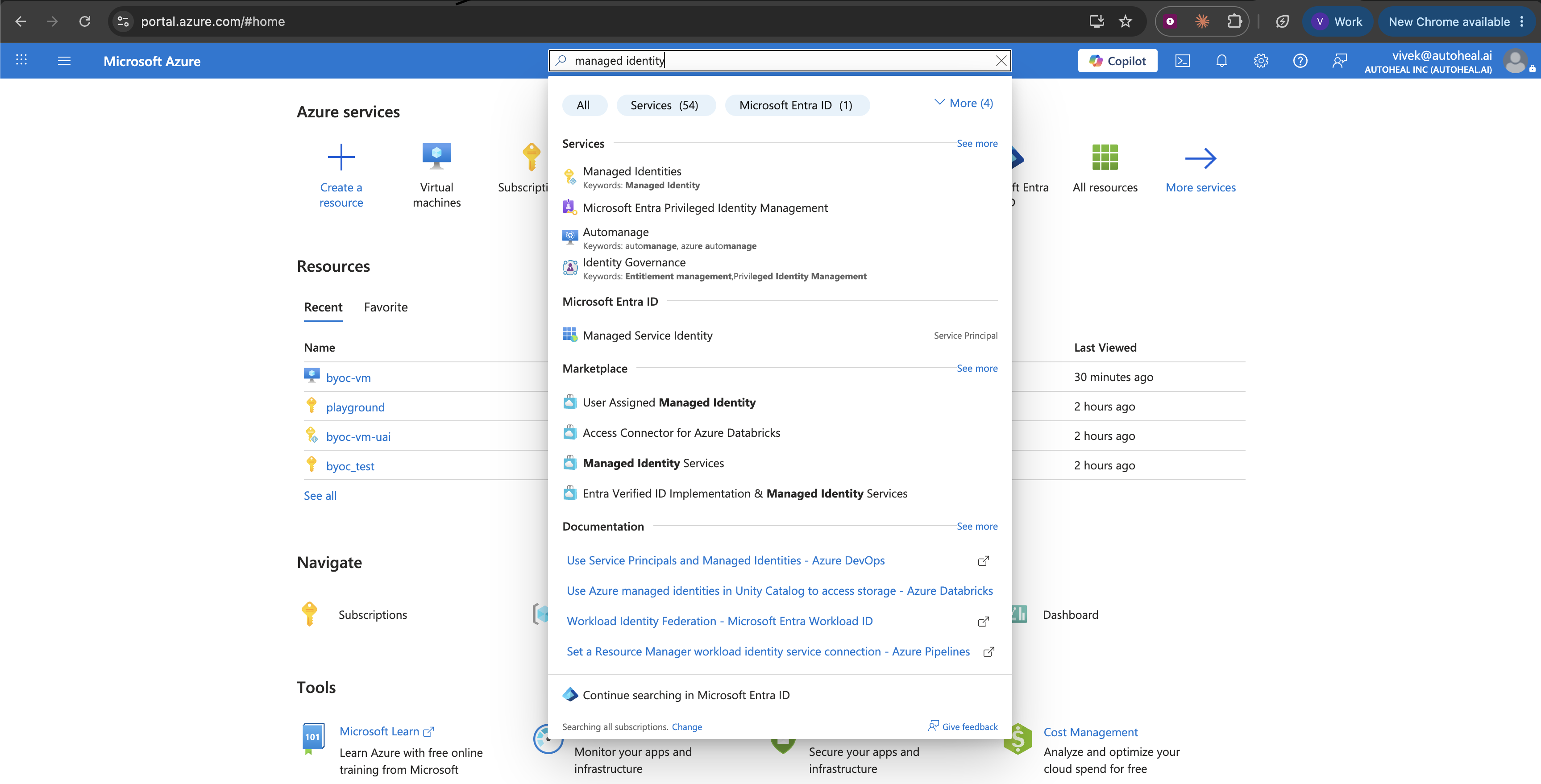
In the Azure Portal, go to Managed Identities → Create. Pick a resource group and name (e.g. autoheal-azuredevops), then click Review + create.
Open the identity, then go to Federated credentials → Add credential. Select the scenario Other issuer. Enter the Issuer, Subject identifier, and Audience from the Federated credential reference below.
In Azure DevOps, go to Organization settings → Users → Add users. Add the identity's service principal with Basic access and read permission on the relevant projects. It must be in the same Entra tenant as the organization.
Go to Integrations → Azure DevOps → Workload Identity Federation. Enter your Organization, Directory (Tenant) ID, and the identity's Client ID (optionally a default Project). Then click Test Connection → Save.
Federated credential reference
The Autoheal setup page shows the exact values for your Autoheal organization. Go to Integrations → Azure DevOps → Workload Identity Federation and click Get federation values to reveal and copy your Issuer, Audience, and Subject. Set the federated credential to those values:
- Issuer —
https://app.autoheal.ai - Audience —
<your-tenant-slug>-oidc-service— your Autoheal organization slug followed by-oidc-service - Subject — your Autoheal organization's OIDC machine-user id (the per-organization value Azure matches on
sub). Copy it from Get federation values.
Azure validates the assertion's iss / sub / aud against these values, so they must match exactly. Copy them from Get federation values rather than typing them. Azure accepts a custom audience. It need not be api://AzureADTokenExchange.
Network requirements
- Microsoft Entra → Autoheal's OIDC issuer (
/.well-known/openid-configuration+ JWKS) — so Entra can validate the federated assertion. - Agent sandbox →
login.microsoftonline.com,dev.azure.com— foraz loginand read-only API /gitcalls.
A BYOC deployment that runs on an Azure VM connects with the VM's managed identity. This is the same identity as the Azure Cloud integration. The only difference is that Azure DevOps authorizes on organization membership, not a subscription role.
Prerequisites
- Autoheal deployed as BYOC on an Azure VM.
- An Azure DevOps Services organization backed by a Microsoft Entra tenant (Organization settings → Microsoft Entra → Connect directory, if not already).
- Rights to attach a managed identity to the VM and add it to the organization with read access (a Project Collection Administrator).
- Azure CLI
- Azure Portal
If you configured the Azure Cloud integration, reuse that identity. Its client ID is already in your .env config. Otherwise, attach one (see the Azure Cloud page's BYOC setup). Then set its client ID over SSH:
CLIENT_ID="$(az identity show -g <resource-group> -n autoheal-reader --query clientId -o tsv)"
printf 'AZURE_BYOC_MANAGED_IDENTITY_CLIENT_ID=%s\n' "$CLIENT_ID" | sudo tee -a /opt/autoheal/.env
No subscription role is needed for Azure DevOps.
Write the resolved GUID into .env. Don't paste AZURE_BYOC_MANAGED_IDENTITY_CLIENT_ID=$(az identity show …) literally. The .env file isn't a shell. A system-assigned identity needs no variable.
A Project Collection Administrator adds the identity under Organization settings → Users. The administrator gives it Basic access and read permission on the relevant projects. It must be in the same Microsoft Entra tenant as the organization. (Microsoft docs)
Go to Integrations → Azure DevOps → Managed Identity. Enter your Organization (and an optional default Project). Then click Test Connection → Save.
Reuse the Azure Cloud integration's VM identity if you have one. Otherwise attach one in the Portal (see the Azure Cloud page's BYOC setup). Copy its Client ID (open the managed identity → Properties) and add it to your .env config over SSH:
# /opt/autoheal/.env
AZURE_BYOC_MANAGED_IDENTITY_CLIENT_ID=<client-id-guid>
A system-assigned identity needs no variable. No subscription role is needed for Azure DevOps.
In Azure DevOps, go to Organization settings → Users → Add users. Add the identity's service principal with Basic access and read permission on the relevant projects. It must be in the same Entra tenant as the organization.
Go to Integrations → Azure DevOps → Managed Identity. Enter your Organization (and an optional default Project). Then click Test Connection → Save.
The agent sandbox runs as a container on the VM. It reaches the identity through the local metadata service at 169.254.169.254, then calls dev.azure.com over the internet. If Test Connection fails, confirm the metadata service from inside a sandbox container:
curl -s -H "Metadata: true" \
  "http://169.254.169.254/metadata/identity/oauth2/token?api-version=2018-02-01&resource=499b84ac-1321-427f-aa17-267ca6975798"
A JSON token response means it works.
Limitations
- Azure DevOps Services (cloud) only. Only
dev.azure.comis supported. On-prem Azure DevOps Server is not supported. Legacy<account>.visualstudio.comURLs aren't accepted (those organizations are reachable asdev.azure.com/<org>). - One organization per integration. Add one per organization. Each integration connects a single Azure DevOps organization. To cover several, add a separate integration for each, all using the same identity (add that identity to each organization with read access). Agents pass
--orgper command, so multiple organizations coexist. - Access is what you grant. Add the identity to the organization with read access for read-only use. Agents' access is exactly what that organization permission allows.
- One identity for everything. Use the same identity across all your Azure DevOps organizations and the Azure Cloud integration. Add it to each organization with read access, and grant it Reader on your Azure subscriptions. Use one identity and one Client ID everywhere. The agent sandbox shares one
azsession, so two different identities would conflict.
This is the Azure DevOps integration (dev.azure.com). It is separate from the Azure Cloud integration (management.azure.com — infrastructure). Both use the az CLI but are distinct integrations with independent access grants.
Example questions
Once connected, you can ask an agent:
What changed in the last deployment to production?
Show me recent commits to the payments service repo
Why did the latest build of the checkout pipeline fail?
Find the runbook for database failover in the wiki
Troubleshooting
Managed Identity: Test Connection fails / metadata service unreachable
Check that the managed identity is attached to the Autoheal VM and that the sandbox can reach 169.254.169.254 (see the check above). For a user-assigned identity, confirm that AZURE_BYOC_MANAGED_IDENTITY_CLIENT_ID in .env is a concrete GUID (not a $(…) command). Also confirm that you restarted Autoheal.
WIF: Test Connection fails with AADSTS70021
The federated credential's issuer / subject / audience don't match Autoheal's, or the credential was just created. Compare them against the Federated credential reference in the SaaS tab. Then retry shortly. Propagation can take a few minutes.
401 Unauthorized / 403 Forbidden
Check that the identity was added to the organization with read access and is in the same Entra tenant. Confirm that the Organization value matches your dev.azure.com/<org> URL.
404 Not Found
Check that the project or repository exists and that the identity has access. Confirm the Organization value.
Rate limited (429)
Azure DevOps applies per-organization throttling. Obey the Retry-After header, then retry.